Posts in news

Contactless Payments Are Coming to the iPhone

Today, Apple announced Tap to Pay, a new contactless payment option coming later this year for the iPhone XS and later.

According to Apple’s press release:

Tap to Pay on iPhone will be available for payment platforms and app developers to integrate into their iOS apps and offer as a payment option to their business customers. Stripe will be the first payment platform to offer Tap to Pay on iPhone to their business customers, including the Shopify Point of Sale app this spring. Additional payment platforms and apps will follow later this year.

The new payment system leverages NFC and the iPhone’s existing privacy-oriented Secure Element, which is part of Apple Pay existing technology infrastructure.

Apple’s press release explains how Tap to Pay will work from users’ perspective:

At checkout, the merchant will simply prompt the customer to hold their iPhone or Apple Watch to pay with Apple Pay, their contactless credit or debit card, or other digital wallet near the merchant’s iPhone, and the payment will be securely completed using NFC technology. No additional hardware is needed to accept contactless payments through Tap to Pay on iPhone, so businesses can accept payments from wherever they do business.

Although Tap to Pay won’t require new hardware, it will need to be incorporated into participating apps. Apple says developers can expect a Tap to Pay SDK in an upcoming iOS beta.

It’s good to see that Tap to Pay will work with a broad array of credit cards, debit cards, Stripe, and other payment processors. However, it’s disappointing that Tap to Pay will be US-only at launch, although it’s not surprising either. I use my iPhone for payments a lot, so I’m glad to see the addition of Tap to Pay, which will make that possible in even more circumstances.


MacStories Unwind: Pokémon Legends: Arceus

0:00
34:00


This week on MacStories Unwind, Federico and John cover their first joint Unwind pick, Pokémon Legends: Arceus, plus MacStories highlights.

Federico and John’s Joint Pick:

MacStories Rewind

Follow us on Twitter

Follow us on Instagram


Unite 4: Turn Websites into Apps on Your Mac [Sponsor]

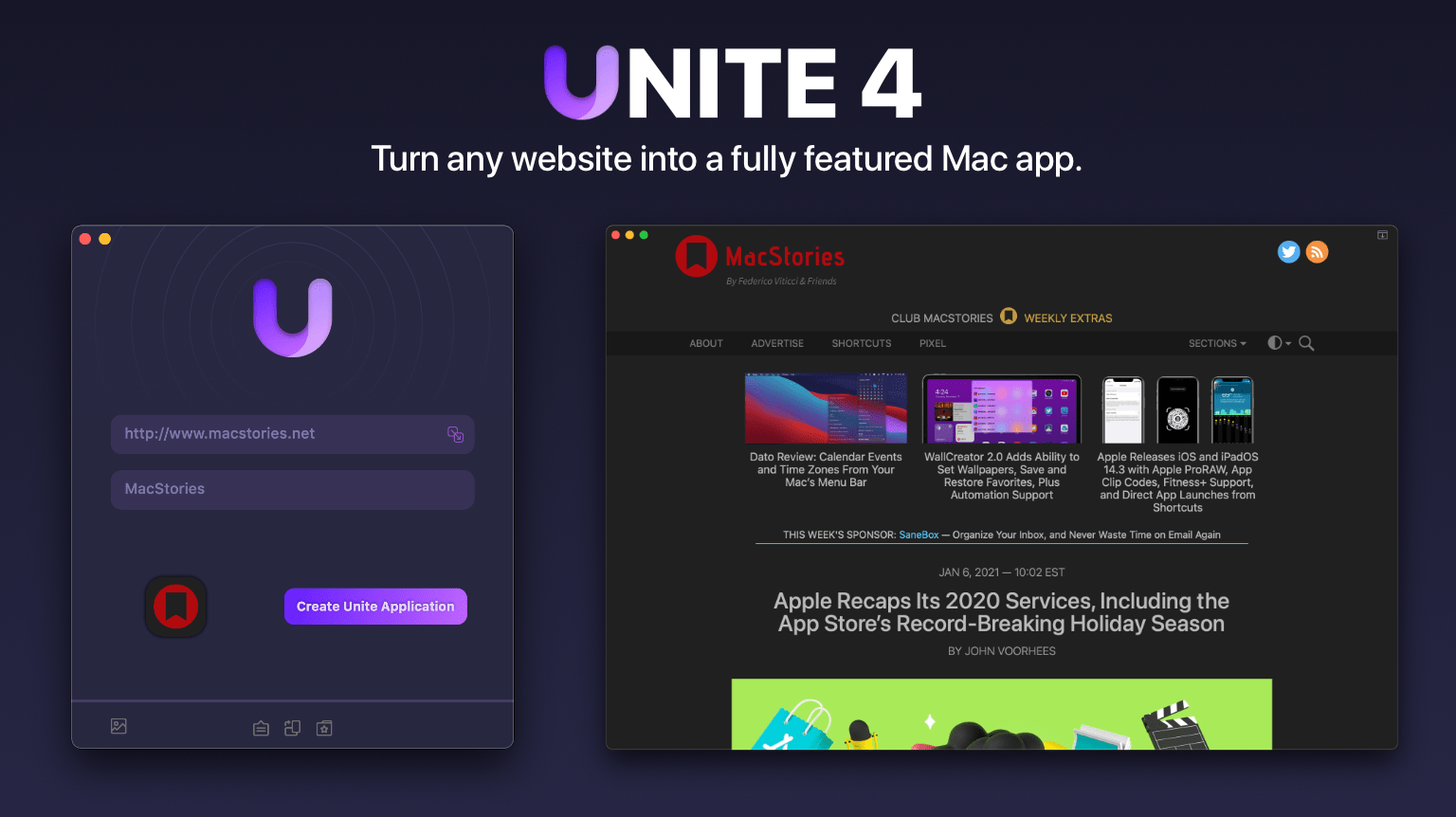
Unite 4 for macOS can turn any website into an app for your Mac. The app uses a lightweight, WebKit-powered browser as a backend, allowing you to easily create isolated, customizable apps from any site. It’s a terrific way to get those sites you visit every day out of a tab and into a dedicated, standalone app.

Unite 4 has dozens of features and customization options that make it a terrific alternative to resource-hogging Electron apps or uninspired Mac Catalyst implementations. The apps you create are easy to set up, fast, and only limited by your imagination:

  • Create dedicated apps for your favorite streaming services like Netflix and Disney+
  • Save your laptop’s battery by using Unite for Slack, Discord, and WhatsApp with full notification support
  • Listen to music services like Apple Music or Spotify
  • Enjoy podcasts with Overcast
  • Organize your notes in a dedicated Roam Research app
  • Never again lose your Figma design work among a sea of Safari tabs
  • Limit the ability of apps like Facebook to track you across sites
  • Check your Instagram feed
  • Track your finances with Robinhood

No matter which sites you use, Unite can turn them into apps for your Mac with customizable colors, an icon that fits the version of macOS you use, dark mode, support for the macOS Keychain, floating windows, and even menu bar-based apps that appear with a single click.

This week only, MacStories readers can get 20% off when you purchase Unite 4 at bzgapps.com/macstories or by using the promo code ‘MacStories’ at checkout.

Unite is free to try for 14 days and is available as part of a Setapp subscription too.

Download Unite 4 today and turn your favorite websites into your favorite apps too.

Our thanks to Unite 4 for sponsoring MacStories this week.


MacStories Unwind: Brooklyn 99, Horizon Zero Dawn, and Ghost of Tsushima, Director’s Cut

0:00
20:32


This week on MacStories Unwind, Federico shares his favorite season of Brooklyn 99 and Horizon Zero Dawn, which he’s been playing in advance of the release of Horizon Forbidden West, and John explains why Ghost of Tsushima, Director’s Cut is so good on the PlayStation 5.

Federico’s Pick:

John’s Pick:

MacStories Rewind


Apple Q1 2022 Results - $123.95 Billion Revenue

Apple has just published its financial results for Q1 2022. The company posted revenue of $123.95 billion. Apple CEO Tim Cook said:

“This quarter’s record results were made possible by our most innovative lineup of products and services ever,” said Tim Cook, Apple’s CEO. “We are gratified to see the response from customers around the world at a time when staying connected has never been more important. We are doing all we can to help build a better world — making progress toward our goal of becoming carbon neutral across our supply chain and products by 2030, and pushing forward with our work in education and racial equity and justice.”

Expectations for Q1 2022 and the Year-Ago Quarter (Q1 2021)

Apple didn’t provide guidance for Q1 2022, but going into today’s earnings call, Yahoo Finance reported the following analyst expectations::

The consensus mark for earnings is currently pegged at $1.89 per share, unchanged over the past 30 days and indicating 12.5% growth from the figure reported in the year-ago quarter.

Graphical Visualization

After the break, we’ve compiled a graphical visualization of Apple’s Q4 2021 financial results.

Read more


AppStories, Episode 257 – New Apps We Are Trying or Revisiting

This week on AppStories, Federico and John share a collection of apps they are trying for the first time or revisiting, including email apps, a new Mac launcher, an Apple Music utility, a podcast player, and a read-it-later app.


On AppStories+, Apple surprises us with the publication of its interview with Federico about Shortcuts for Mac, plus a conversation about the difficulty of letting go of a project when you get stuck.

Permalink

MacStories Starter Pack: Customizing Your Workflows with Deep Links

Editor’s Note: Customizing Your Workflows with Deep Links is part of the MacStories Starter Pack, a collection of ready-to-use shortcuts, apps, workflows, and more that we’ve created to help you get the most out of your Mac, iPhone, and iPad.

In my story yesterday, I covered how I manage links to content I come across every day. Today’s story is also about linking, but it’s not about collecting and processing the content you stumble across. Instead, it’s about creating links between the apps you use to tie your projects and the content related to them together in a cohesive way.

Deep linking between apps isn’t new, but it has seen a resurgence of interest. Part of that seems to be a natural extension of the popularity of internal linking systems in note-taking apps, but it’s also thanks to apps like Hook, the entire purpose of which is to help users link the content inside their apps together more easily.

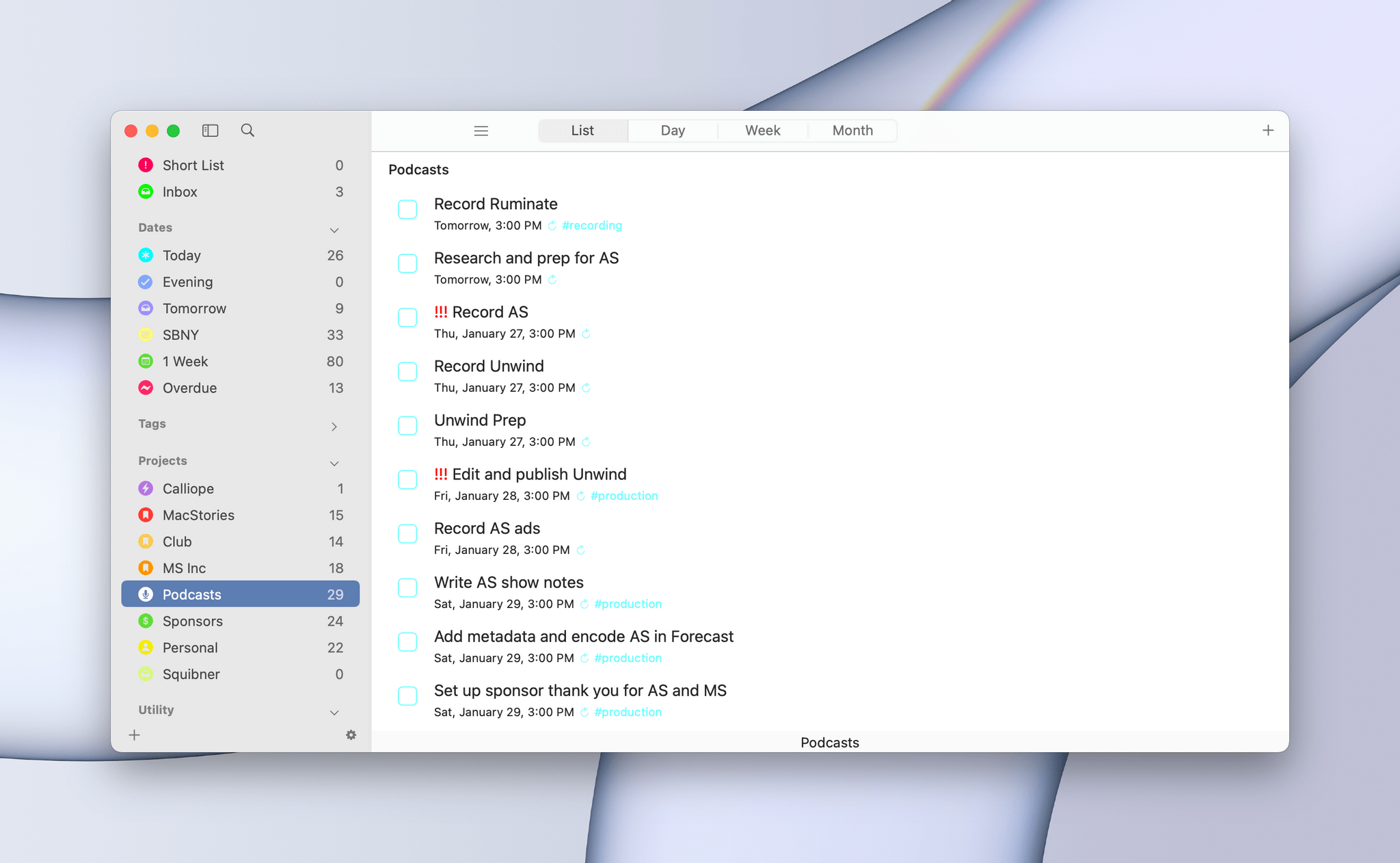
When you step back and think about productivity apps, most involve some sort of list. You’ve got lists of messages in your email client, events in your calendar, documents in your text editor, and so on. Those lists, which serve as inboxes for an app’s content, are a double-edged sword. On the one hand, having everything consolidated and organized into lists is valuable. That’s true of the kinds of links I wrote about yesterday, but even more so for things like upcoming appointments and tasks. Apps like calendars and task managers exist because there are better solutions than a pile of scribbled notes to yourself.

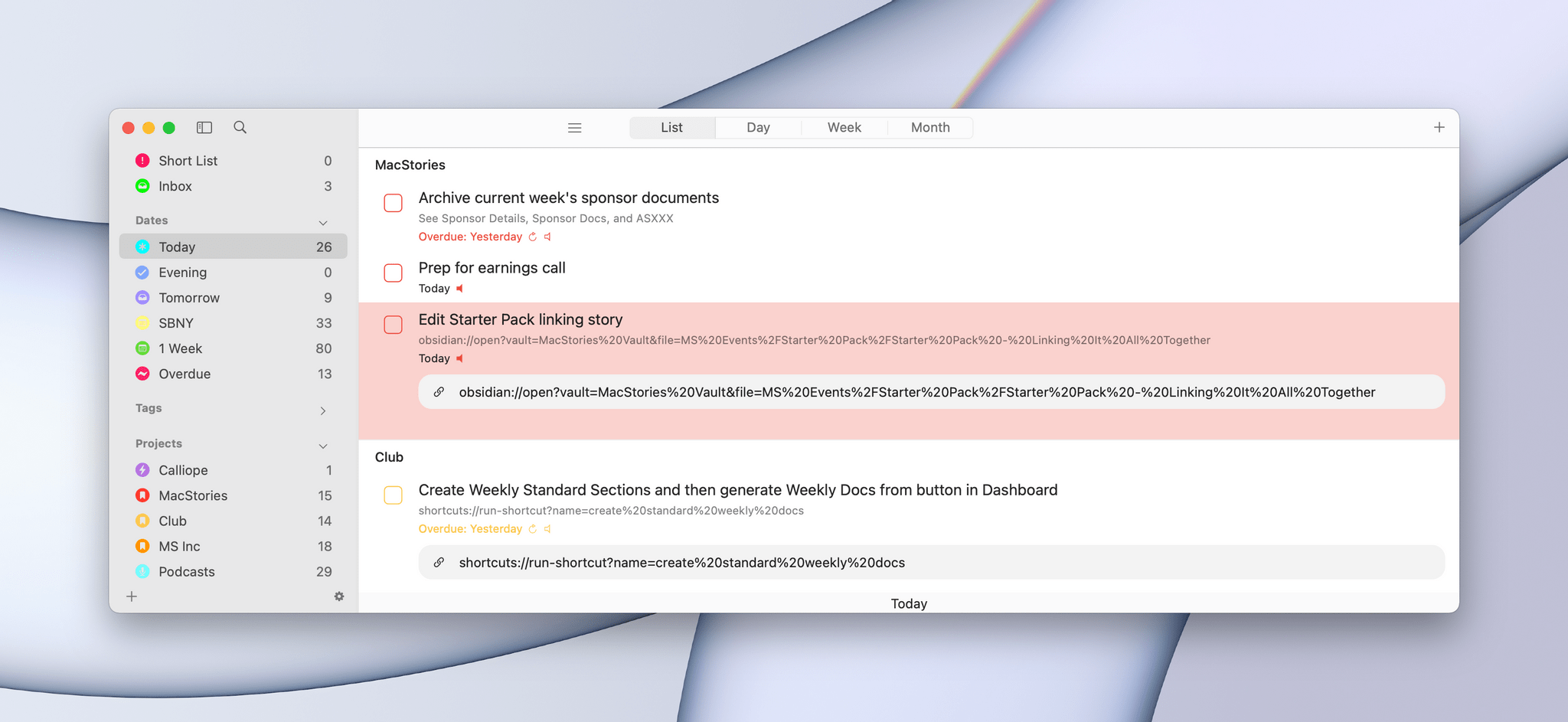
It's easy to get lost in a long task list when you should only be focused on the task at hand.

It’s easy to get lost in a long task list when you should only be focused on the task at hand.

On the other hand, though, any list has the power to distract you the moment you open it. You go looking for one thing but end up browsing everything or following up on something else. Before you know it, you barely remember why you opened the app in the first place. For me, the trick to staying on task when I open any app full of distractions is to find a way to go straight to what I need, bypassing the distractions entirely with the help of a deep link.

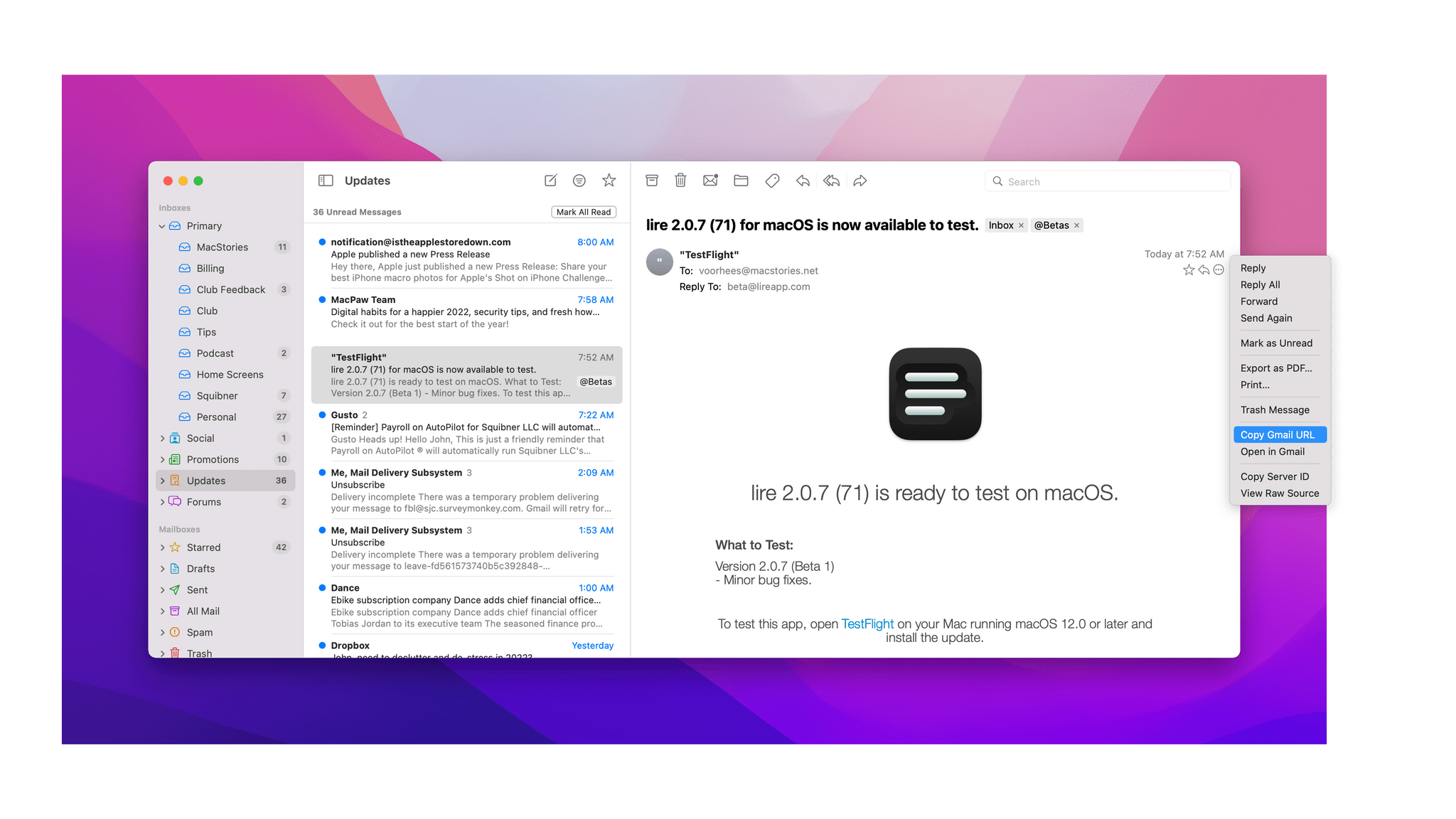
Linking to Gmail in Mimestream.

Linking to Gmail in Mimestream.

Email is one of the best examples of this sort of setup. As I explained in my story about my email setup on Monday, getting information out of whatever email client I’m using and into Obsidian where I can integrate it with my own notes helps keep my inbox under control. When I pull text out of an email message and paste it into my notes, I do my best to get everything I need. However, when there’s a back and forth conversation about a topic, it can be valuable to go back and see the entire context of the conversation, which I can do by linking to the original message thread.

Read more


MacStories Unwind: The Legend of Zelda: The Minish Cap and The Protégé

0:00
21:18


This week on MacStories Unwind, Federico revisits The Legend of Zelda: The Minish Cap, a game originally released for the Game Boy Advance in 2004, and John enjoys an action-thriller movie starring Samuel L Jackson, Maggie Q, and Michael Keaton about a pair of globe-trotting assassins.

Federico’s Pick:

John’s Pick:

MacStories Rewind


Start The Year Off Right with Next Week’s 2022 MacStories Starter Pack Event

Monday, we’re launching a brand new special event: The MacStories Starter Pack. The idea is simple. As our busy OS review season winds down, Federico and I dig into a wide range of experiments every year. We build shortcuts, try new apps, and look for new ways to get more out of the technology we use. This year, we’ve collected the best of what we’ve learned from that annual process into a series of stories we’ll publish over the course of next week.

You’ll find a lot of variety in what we’ve got planned, but the common thread is that every story will have something you can take away and use right away. There will be shortcuts, app recommendations, workflow ideas, and more, spanning everything from ways to work more efficiently to making the most of your downtime. We think you’ll love what we’ve got in store for you.

Would you be shocked to learn that Federico has a bunch of shortcuts lined up for the Starter Pack? I’ve had a front row seat to what has to be one of Federico’s most inspired periods of shortcut creation ever. I won’t spoil his surprises, but what Federico has in store for next week represents weeks of reverse engineering, testing, and refinement of a collection of shortcuts that is incredibly useful on all of Apple’s platforms and will include two advanced, Club MacStories-only automations. Federico also has a special surprise for Obsidian users that I’ve been testing and has quickly become a cornerstone to my own note-taking and writing workflows.

The MacStories Starter Pack isn’t just about automation, though. A substantial part of what I do at MacStories changed in 2021 with the introduction of Club MacStories+ and Club Premier. Most of those changes happened behind the scenes, but changes in how we produce everything from Club newsletters to podcasts strained my existing workflows. As I headed into the holidays, it was clear that the old ways of doing things had to be rethought and adapted to last year’s changes and where MacStories is heading in 2022.

As a result of my holiday workflow experiments, I’ve done more than mix up the apps I use. I’ve also reconsidered how those apps fit together, which is something that is more important to me than ever and dovetails nicely with the app interoperability trend that Federico and I recently covered on AppStories. I also spent the holiday season reevaluating how I manage the torrent of information that crosses my desk every week, so I spend less time looking for things and more time writing about them.

Next week, I’ll share the apps I’m using, how I’ve improved the way they fit together, and how I’m managing more information more efficiently than ever. Along the way, I’ll share what’s worked, along with tips and strategies on how to adapt the workflows to suit your own needs. I’ll also round out the week with a hardware review.

The MacStories Starter Pack will begin Monday and continue throughout the week with new daily stories on MacStories. We’ll have special treats just for Club MacStories members on Friday, too, so be sure to stop by the site throughout the week to get the latest installment of the Starter Pack. We’ve got a Starter Pack hub and RSS feed you can follow too.


The MacStories Starter Pack is just the start of what promises to be a big 2022 at MacStories. Our WWDC coverage, the Summer OS Preview Series, each fall’s review season, and the MacStories Selects Awards have become traditions that the MacStories community looks forward to every year. With the Starter Pack and plans we’re working on for the spring, our goal is to offer something special you can look forward to throughout the year, regardless of whether an Apple event is on the horizon. We’ve got a packed schedule in store for everyone in 2022 and can’t wait to get started next week with our first-ever MacStories Starter Pack.


You can follow the MacStories Starter Pack on our hub, or subscribe to the dedicated Starter Pack RSS feed.