

Being a student, I often travel with my laptop between home and campus. At school, there’s a lot of things I need to do, but I often forget to do. For example, I need to mute my machine (it would be embarassing if suddenly a notification from Twitterrific suddenly sounded in the middle of class), disable bluetooth, and close Mail. Locations, a basic application from Codehackers, solves this problem by doing all of this for you. If you’ve ever used MarcoPolo (which isn’t fully Snow Leopard compatible), you’ll be right at home with this app.

Locations sits in your system preferences as an icon, complete with its own panel. It’s simple to setup, though you need to be connected to the network you want to establish settings for. Locations will also sit in your menubar (with unfortunately an ugly icon) so that you can manually select a location if you want to quickly change settings.
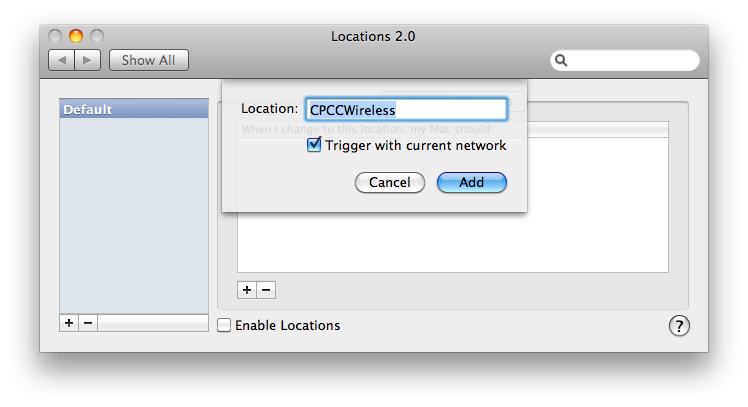
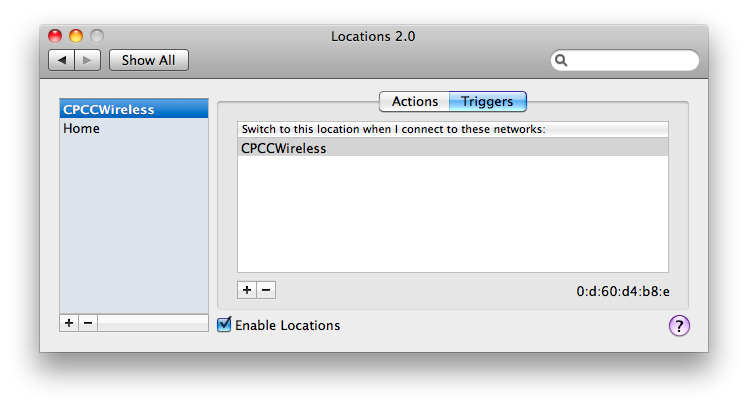
The left pane contains all of your locations. I have two, one for school, and one for home. On the right you have your actions and triggers. Your actions define what happens at that location. Does your screen dim? Does an application launch? The triggers indicate at what known or unknown networks that this location is activated. For my home location, the trigger is my wireless access point’s SSID. At school, it’s their SSID.
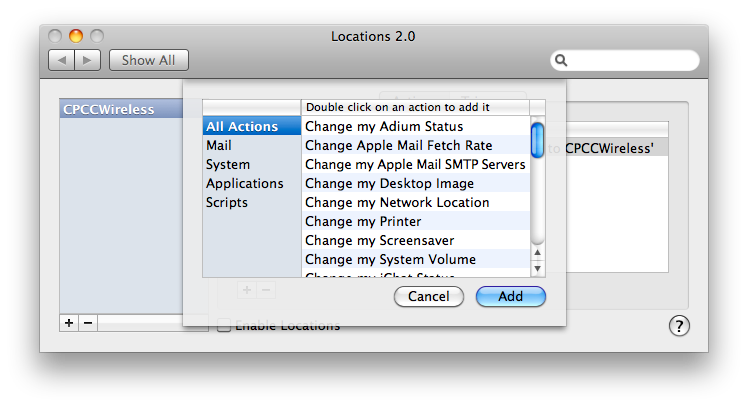
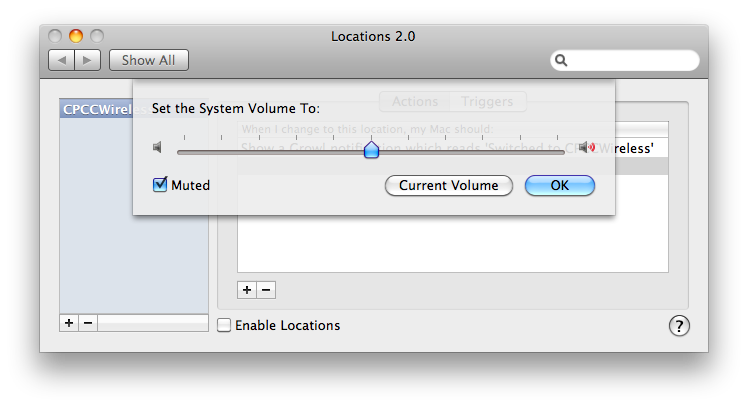
While the computer isn’t fully aware (it can’t make a change based on peripherals attached), most people will be happy with just the network part. You can tell your Macbook to do a lot of different things - for example when I connect to the school’s network, my monitor dims, the volume mutes, bluetooth is turned off, my iChat status is updated to away, Mail quits, and I am updated about all these changes via a Growl notification.
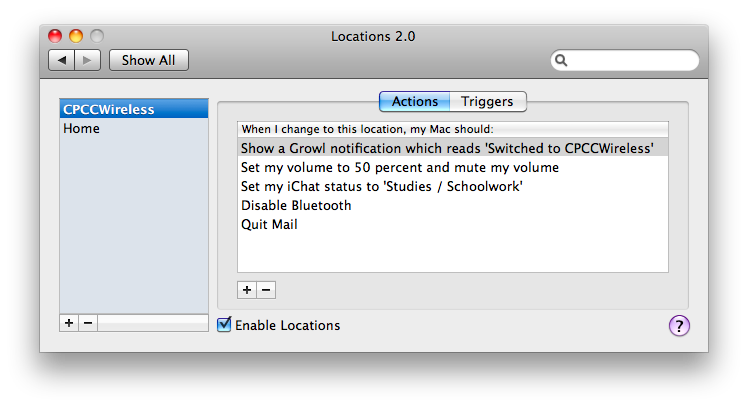
If you want, you can go so far as to connect to network server, access web pages, and run scripts. While the options are simple, it’s pretty powerful in this sense because as soon as you connect to a network, you can knock out an entire workflow, make updates, and launch applications just by opening the lid and automatically connecting. It’s very cool.
For $19 dollars, you can make your Macbook a network aware powerhouse. Let it take the repetitive tasks off your hands - no longer do you have to run through a routine each time you arrive at a new destination. With simple setup, it’s a very attractive app that all of you should try.
