

Having your data backed up at a regular schedule is something everyone should seriously consider. Especially if you work with your Mac, you should start thinking about start using Dropbox or SugarSync, two amazing online services that allow you store up to 2 GB of stuff for free. Now, many Mac users use Dropbox to backup and save copies of “stuff that matters” like applications’ libraries or databases. For example, I’ve set up an Automator workflow that together with an iCal event daily backs up my Yojimbo database into a Dropbox folder.
But what about more complex and structured applications, like Mail.app? Mail doesn’t have a simple and linear database structure like Yojimbo does, so backing it up manually could be a little difficult. I reviewed this app called MaBuRe a while ago, but many people told me it wasn’t working for them, and the overall backup time was pretty long, even for not-so-huge mail libraries.
Today I’d like to talk about EmailBackup Pro, the ultimate application for mail backups.
EmailBackup Pro from Squashed Software allows you to entirely backup your mail database in a few steps. It supports the major email applications like Apple Mail, Microsoft Entourage v.X, 2004 and 2008, Eudora 6, Thunderbird 2 and 3, GyazMail,Mailsmith and Postbox. This means the client you use is surely compatible with EBP. Now, I use Mail.app and here are my impressions so far.
Once you’ve downloaded the application you’ll be immediately presented a configuration screen, where you’ll have to fill some basic information about how you’d like EBP to work. First, choose your mail client, then the backup destination. Next, you have you choose the days and time you want the database to be backed up. Everything will happen in the background, with a small HUD-ish window popping up on the screen telling you the backup is going on. So, just choose the days and you’re set. Also, backups are compressed so that they take less space on your hard drive (they’ve got a .ebp extension) and you can obviously restore from a previous backup in a few clicks. You can decide how many backups to keep and even copy them to a mounted volume.
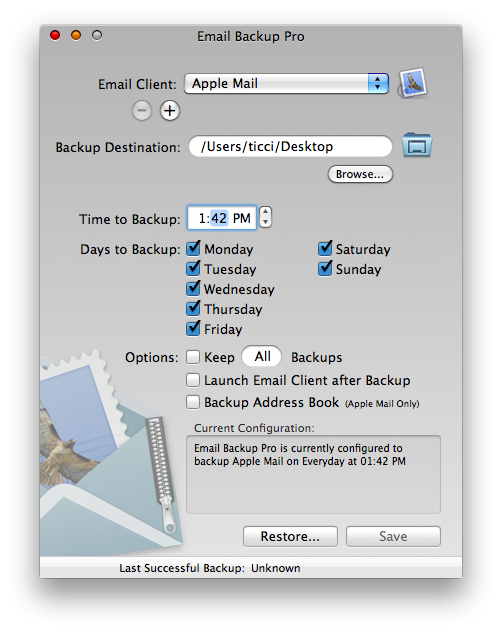
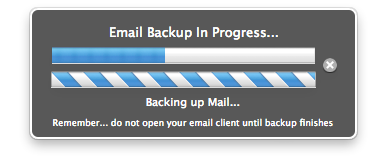
Seems like this EmailBackup Pro it’s the perfect application. It almost is, actually, but there are two things I’d like to be implemented in the future: a better UI for the config screen (it feels so Tiger right now) and the possibility to perform backups on launch without scheduling. Anyway, my March ‘09 - January 2010 database took 60 seconds to be backed up and it’s a 132 MB file. Amazing.
Email Backup Pro comes at the price tag of $10. If you’re serious about mail and backups, you know you want this.
