

Timer
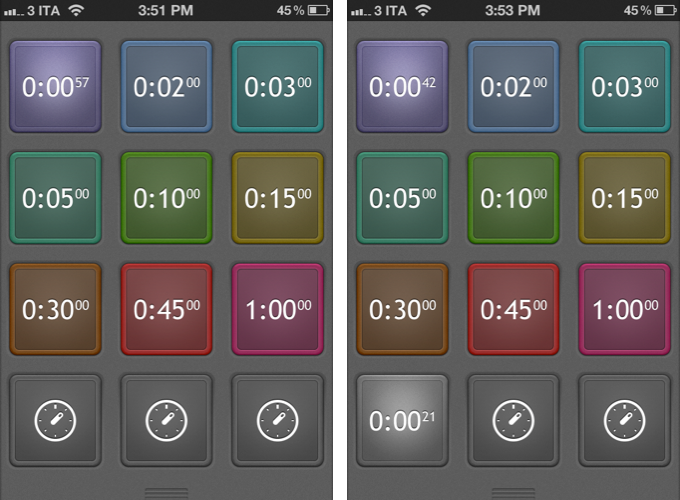
Designed for function and intuitiveness, Timer is a new app by AppCubby, makers of Launch Center and Tweet Speaker. Timer is simple – dramatically so – and it was born out of a need to focus on one feature: touch. David Barnard writes:
I’ll leave the in-depth discussion to past and future posts, but suffice it to say — HUGE buttons are incredibly well suited to quickly taking action on touchscreen devices. For all the love complex, nebulous gestures have gotten in recent months, tapping a HUGE button is still the ultimate — and often overlooked — gesture.
So that’s Timer in a nutshell. Twelve HUGE buttons designed to scratch my own itch.
The twelve buttons will start a timer upon tap, and they can be customized (tap & hold) to turn off the preset, change color, and alert tone. By default, twelve buttons are presets, and three at the bottom are alerts you can set manually with the numeric keyboard. I have been testing Timer, and I am a big fan of the app’s extreme simplicity and focus on doing one thing right. I often need to set up the same quick timers – especially in the kitchen – and Timer is just faster than Siri and Apple’s Clock app thanks to its preset implementation.
Timer is $0.99 on the App Store.